Refine Your Creative Content Exactly as You Imagined
Fine-tune every element of your video ad with our AI Video Editor - trim scenes, adjust color levels, layer background music, and add dynamic text overlays. Create professional-grade content ready for social campaigns, all without leaving your digiAd AI dashboard.
INSIGHTS
Turn Raw Footage into Campaign-Ready Videos with the Best AI Video Editor
Once your AI video ad is generated, your real competitive edge comes from the edit. Adjust pacing, layer background music, swap voices, and add dynamic text overlays - all in a single timeline inside digiAd AI, your AI video editor. No external tools. No workflow friction. Just campaign-ready ads, faster
Edit without switching apps - everything lives in digiAd AI
Conversion-optimized output - transitions, music, VO in one flow Export and deploy to Facebook, TikTok, and Instagram directly
What You Can Do ?
Visual Adjustments
Fine-tune the look of your video with pro-grade controls for brightness, contrast, and saturation, or use AI Auto-Adjust for an instant polish
Flexible Clip Reordering
Change your narrative on the fly. Drag and drop clips on the multi-track timeline to rearrange scenes and find the perfect story flow
Elements & Text Layering
Boost engagement by overlaying dynamic text, callouts, and stickers directly onto the canvas with precise frame-by-frame timing
BG-Music & Audio Mixing
Access a curated library of background tracks and mix them perfectly against your regenerated AI voiceovers for a balanced, professional sound
HOW IT WORKS
From Generated Video to Deployable Ad - In 4 Steps
Arrange, adjust, script, and mix in one timeline
Timeline & Clip Arrangement
- Import your generated video or uploaded assets into the multi-track timeline
- Drag and drop to change the arrangement of clips and scenes instantly
- Cut, trim, and split clips to nail the timing of your hook and call-to-action
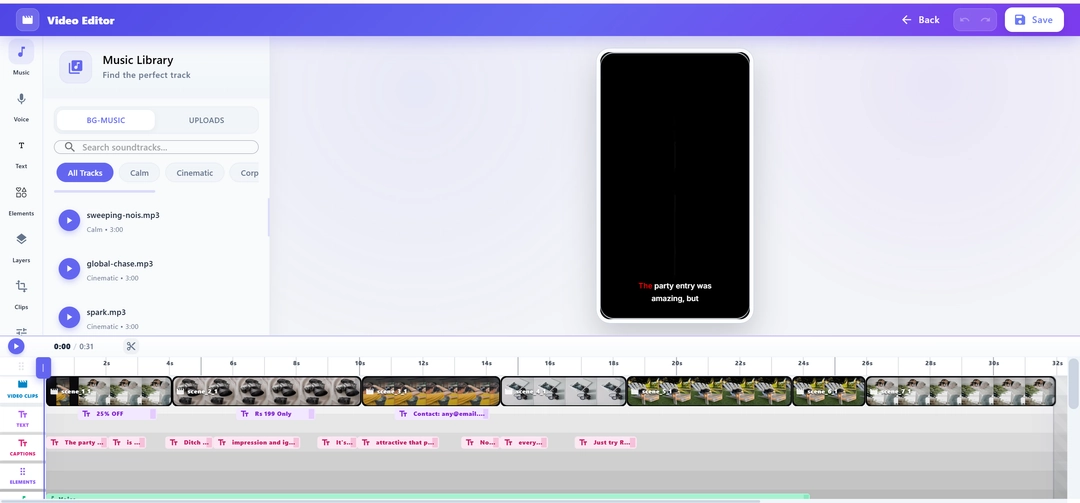
Visual Adjustments & Elements
- Use the Visuals tab to adjust brightness, contrast, and overall color balance
- Overlay elements like text, stickers, and progress bars onto the canvas
- Apply professional-grade transitions between scenes for a cinematic flow
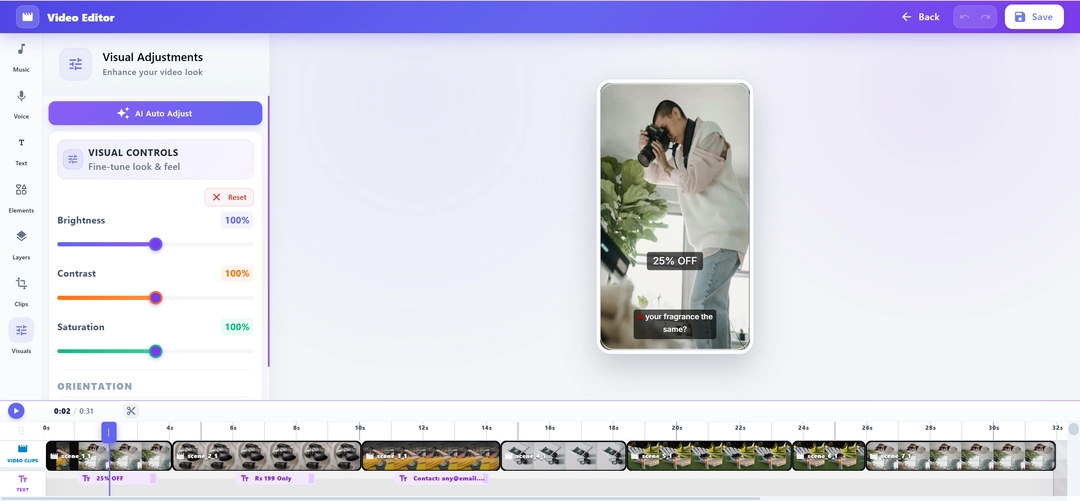
Script, Voice & Regeneration
- Rewrite any line of your script and regenerate the AI voiceover instantly
- Choose from male/female voices and regional accents to match your target audience - without re-rendering the whole project
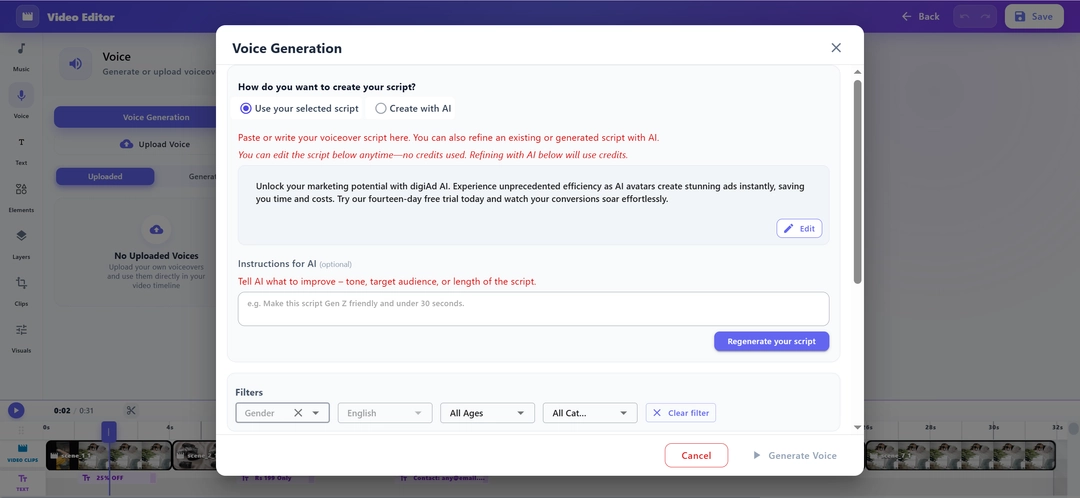
Background Music & Final Export
- Choose background music from our curated library and mix volume levels precisely against your AI voiceover
- Perform a final review, then save the polished creative and deploy directly to your campaigns
KEY FEATURES
What You Get ?
Visual & Color Adjustments
Take full control of your video's aesthetic. Adjust brightness, contrast, and saturation, or use AI Auto-Adjust for perfect lighting
Interactive Elements & Text
Boost engagement by overlaying dynamic text callouts, stickers, and progress bars directly onto the canvas with frame-perfect timing
Live Script & Voice Regeneration
Rewrite any line in the editor and instantly regenerate the AI voiceover. Swap between male and female voices with a single click
Timeline Clip Reordering
Rearrange the sequence of your clips with a simple drag-and-drop interface on the multi-track timeline to find the best narrative flow
Premium BG-Music Library
Premium Background Music Library - Access a curated library of royalty-free background tracks, mixed precisely against your AI voiceover for a polished, broadcast-quality sound
Cinematic Scene Transitions
Smoothly connect your scenes with professional transitions. Choose from a library of fades, wipes, and motion-based cuts
Every great video ad starts with the right edit, Yours is a minutes away
Refine transitions, swap AI voiceovers, add background music, and export campaign-ready video ads for Facebook, TikTok, and Instagram using our AI-Powered Video Editor - all without leaving digiAd AI
Frequently Asked Questions
Find answers to common questions about digiAd AI and how it can help transform your digital marketing.