Fine-Tune Your AI-Generated Image Before Going Live
Use our intuitive AI image editor to refine, adjust, and polish your AI-generated images until they match your vision, then save and publish instantly.
INSIGHTS
Stop Switching Tabs. Edit Your Ad Creatives Where You Already Work
Performance marketers lose hours jumping between digiAd AI and external design tools. The digiAd AI Image Editor brings professional-grade editing directly into your ad workflow, so you can refine product shots, fix AI-generated creatives, and ship campaign-ready visuals without opening a single external app.
Full creative control — no external tools, no tab-switching
Works with your brand photos and AI-generated layouts equally
Go from raw creative to campaign-ready in minutes
EXAMPLES
Edited Inside digiAd AI. Ready for Every Platform
From D2C product shots to paid social — see how leading brands finish their ad creatives inside digiAd AI, without touching Canva or Photoshop.
What You Can Do ?
Edit Generated Images
Not happy with a specific element in your AI-generated ad? Use our drag-and-drop editor to move, swap, or remove any part — until your creative is exactly right.
Dynamic Text Editing
Change headlines, swap fonts, and adjust ad copy on any creative in seconds. Your messaging stays on-brand — no designer required.
Element Customization
Add your brand logo, remove unwanted elements, or resize objects to perfect the composition — total control over every pixel of your ad creative.
Layout Flexibility
Rearrange your ad layout for any placement Instagram Stories, Facebook feed, TikTok with one click. Your product is always the focal point.
HOW IT WORKS
From Raw Asset to Campaign-Ready Creative in 4 Steps
A clear path for teams who need speed without sacrificing quality.
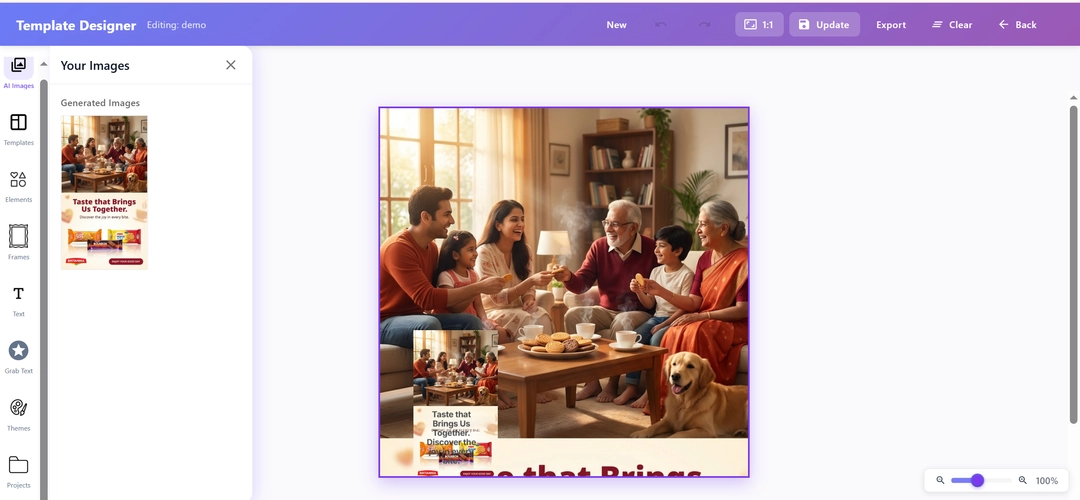
Open Your Assets
- Upload your own brand photography or custom product shots
- Or start with any image generated within the digiAd AI platform
- Instantly load your creative into our powerful editing canvas
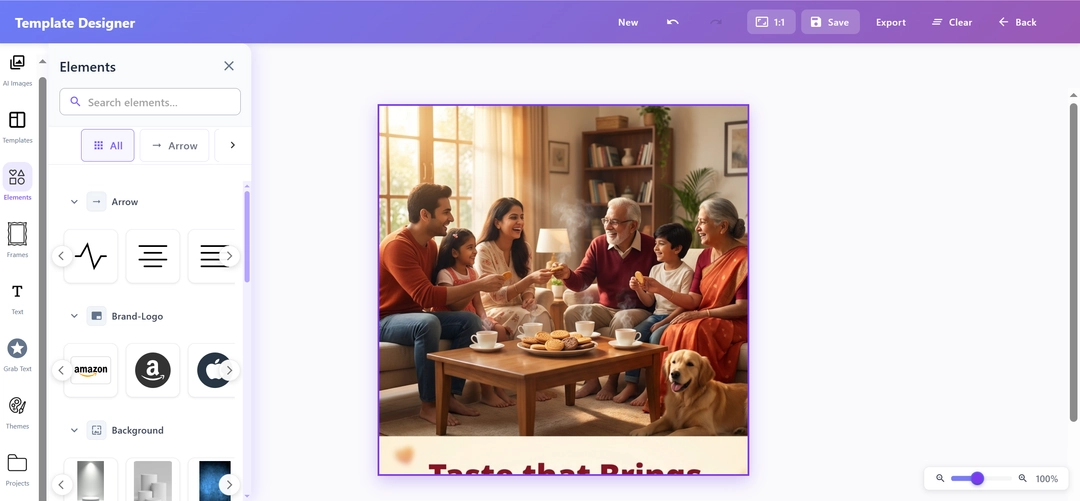
Intuitive Drag-and-Drop
- Use our Canva-like editor to easily move and resize any element
- Reorganize the layout to perfectly balance your headline and product
- Add icons or brand logos with simple drag-and-drop actions
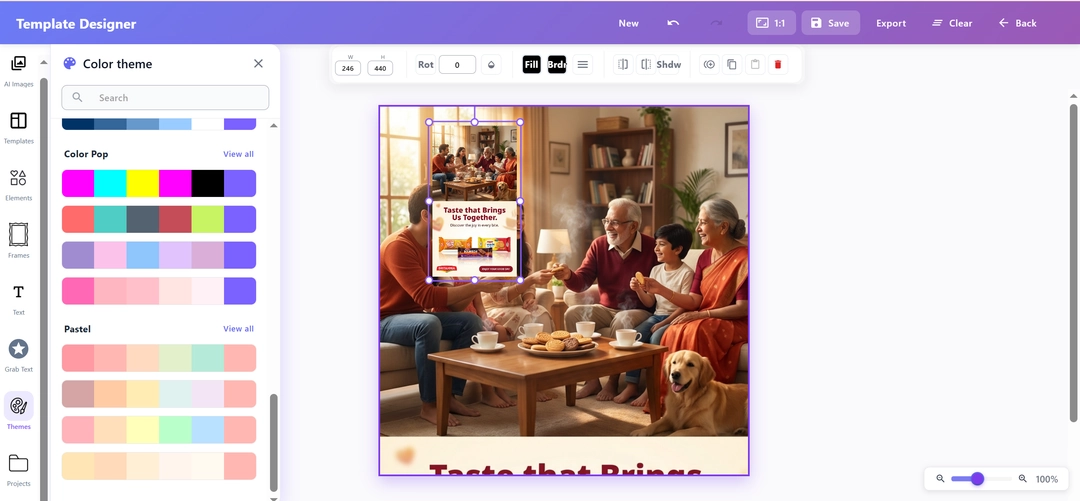
Refine Colors & Text
- Easily adjust typography and font styles to match your brand guidelines
- Change color palettes and gradients with a few simple clicks
- Ensure your ad messaging is perfectly legible and visually striking
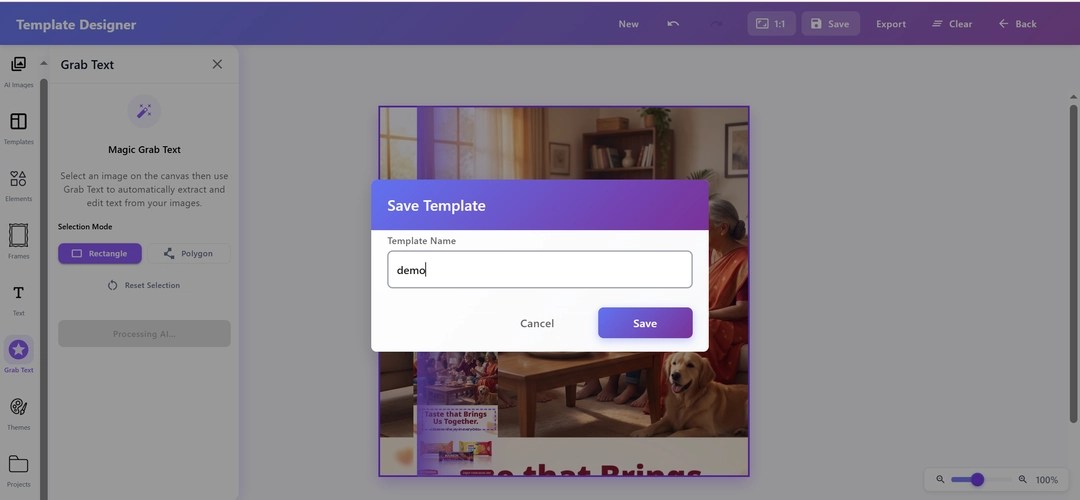
One-Click Save
- Preview your finalized creation to ensure it looks campaign-ready
- Save the polished ad creative for easy access and viewing
- Export your design, perfectly sized and formatted for any placement
KEY FEATURES
What You Get?
Multi-Platform Auto-Sizing
Export your edited creative perfectly sized for any placement Instagram 1:1, Stories 9:16, Facebook feed, or TikTok all with a single click. No manual resizing.
Complete Asset Flexibility
Bring your own product photos or start from an AI-generated layout, the editor handles both with the same precision. Your workflow, your rules.
Comprehensive Design Toolkit
Gain access to a robust set of editing tools. Adjust visual elements, integrate custom logos, and manipulate layouts seamlessly to create the ultimate promotional graphic.
Prompt-Driven Editing
Need to make complex adjustments? Simply write a custom text prompt detailing the specific changes you want, and watch our system instantly alter the image to match your exact instructions.
Intelligent Subject Framing
Move or crop freely the editor automatically detects your product and keeps it perfectly framed. No more awkward cuts, no wasted shots.
Centralized Creative Library
After applying the final touches, securely store your edited image assets right from the editor into your digiAd AI account, making them instantly accessible for any live campaign.
Take Your Next Ad from Draft to Launch-Ready in Minutes
Stop losing time to external design tools. Open the AI Image Editor, perfect your AI-generated creatives, and publish directly to your campaigns all in one place.
Frequently Asked Questions
Find answers to common questions about digiAd AI and how it can help transform your digital marketing.