Step 01
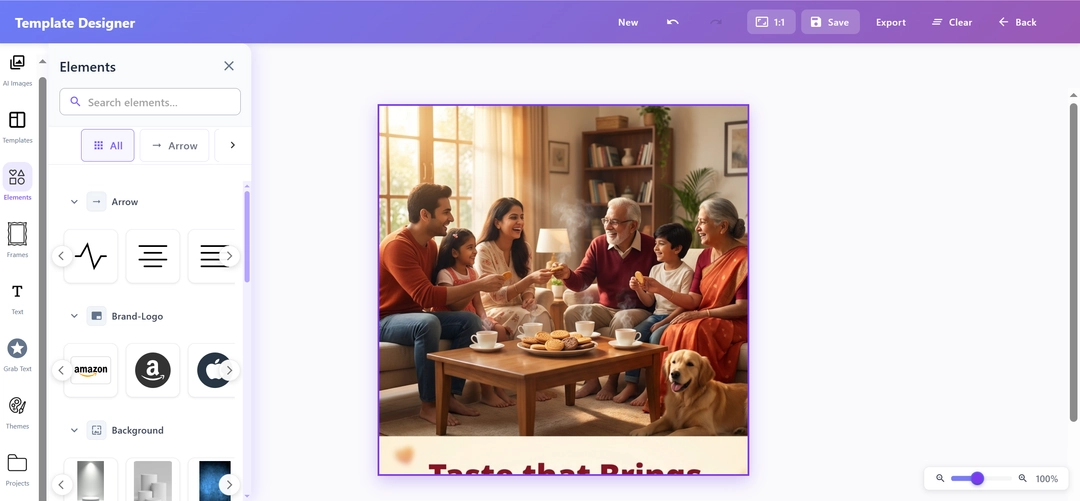
Open Your Assets
Upload your own brand photography or custom product shots
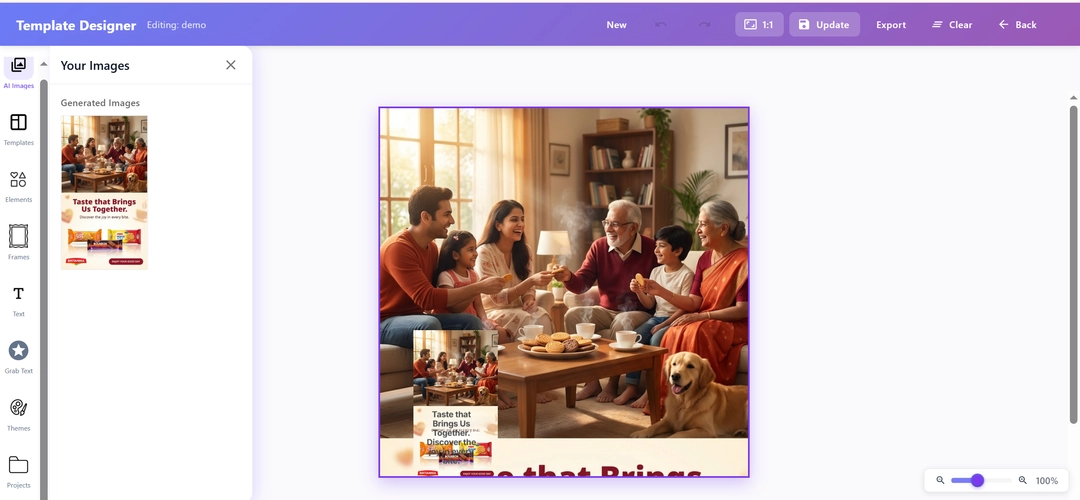
Or start with any image generated within the digiAd AI platform
Instantly load your creative into our powerful editing canvas
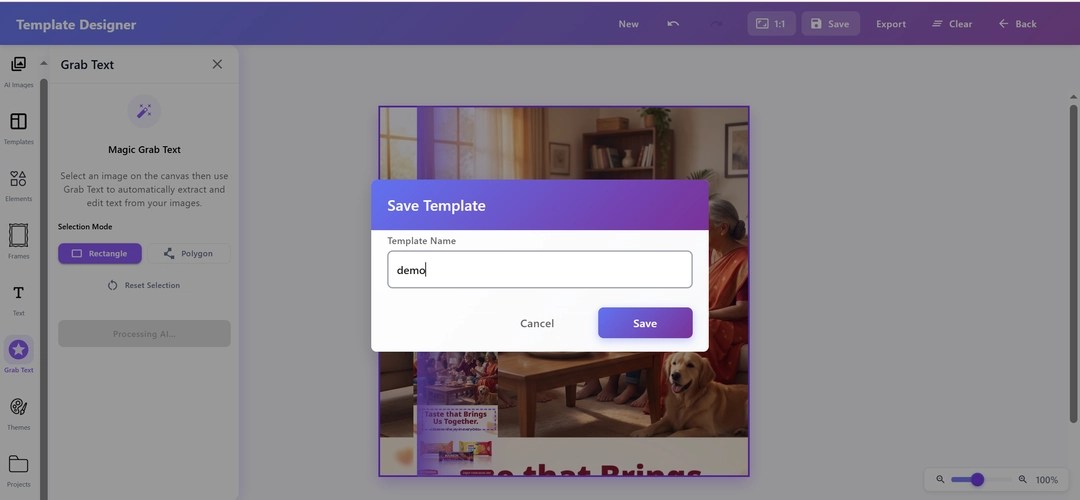
Use our intuitive Creative Editor to refine, adjust, and polish your AI-generated images until they match your vision and then save and publish instantly.
INSIGHTS
Performance marketers lose hours jumping between digiAd AI and external design tools. The digiAd AI Image Editor brings professional-grade editing directly into your ad workflow, so you can refine product shots, fix AI-generated creatives, and ship campaign-ready visuals without opening a single external app.
EXAMPLES
From D2C product shots to paid social — see how leading brands finish their ad creatives inside digiAd AI, without touching Canva or Photoshop.
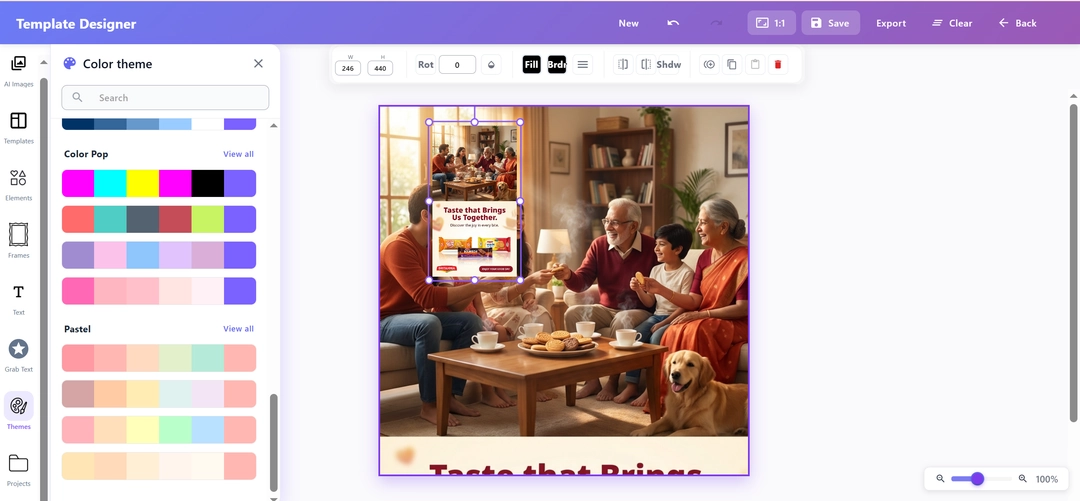
Not happy with a specific element in your AI-generated ad? Use our drag-and-drop editor to move, swap, or remove any part — until your creative is exactly right.
Change headlines, swap fonts, and adjust ad copy on any creative in seconds. Your messaging stays on-brand — no designer required.
Add your brand logo, remove unwanted elements, or resize objects to perfect the composition — total control over every pixel of your ad creative.
Rearrange your ad layout for any placement Instagram Stories, Facebook feed, TikTok with one click. Your product is always the focal point.
HOW IT WORKS
A clear path for teams who need speed without sacrificing quality.
KEY FEATURES
Export your edited creative perfectly sized for any placement Instagram 1:1, Stories 9:16, Facebook feed, or TikTok all with a single click. No manual resizing.
Bring your own product photos or start from an AI-generated layout, the editor handles both with the same precision. Your workflow, your rules.
Gain access to a robust set of editing tools. Adjust visual elements, integrate custom logos, and manipulate layouts seamlessly to create the ultimate promotional graphic.
Need to make complex adjustments? Simply write a custom text prompt detailing the specific changes you want, and watch our system instantly alter the image to match your exact instructions.
Move or crop freely the editor automatically detects your product and keeps it perfectly framed. No more awkward cuts, no wasted shots.
After applying the final touches, securely store your edited image assets right from the editor into your digiAd AI account, making them instantly accessible for any live campaign.
Stop losing time to external design tools. Open the digiAd AI Image Editor, perfect your AI-generated creatives, and publish directly to your campaigns all in one place
Find answers to common questions about digiAd AI and how it can help transform your digital marketing.